To discuss a photo, sign up as a BetterPhoto member or log in.
13X5
|
|||||||||||
|
|
|||||||||||
dmd-photo-art.com - Dominick M. Dimacale Contact Dominick M. Dimacale Dominick M. Dimacale's Gallery |
Great image here, Vaden.
|
||||||||||
|
|
|||||||||||
|
Mary L. Graham |
Excellent Work Vaden!! =)
|
||||||||||
|
|
|||||||||||
|
Manuel Barrera |
great work,lots of great work
|
||||||||||
|
|
|||||||||||
|
Tammy R. Kerns |
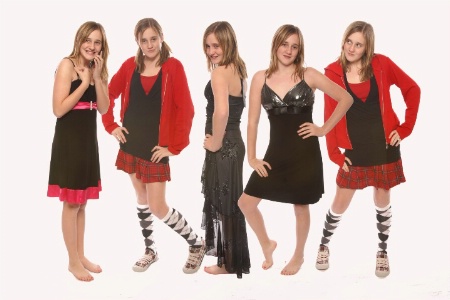
Great work!!!!! All of your work is wonderful. I was wondering if you could tell me how to do this effect. I would appreciate it!
|
||||||||||
|
|
|||||||||||
|
Vaden R. Anderson |
Thanks, everyone. I use Photoshop Elements 5.0. It works best when the model isn't wearing any white. I use the magic eraser to get rid of the white background and then start a new project and fill it with white. I then paste the cutouts and change their layer as needed. If the model is wearing white, I crop the pic as narrow as possible and adjust brightness on each one to help them blend in with each other. I hope this helps.
|
||||||||||
|
|
|||||||||||
|
Nancy Donnell |
Hi Vaden, I couldn't do something like this, but really do admire the image! Your cut out prowess is amazing. Great job!!
|
||||||||||
|
|
|||||||||||
| Log in or sign up to respond or interact. | |||||||||||